
Project Management Tools for Homeowners During Renovation
Keep your renovation on budget and on schedule with project management tools for homeowners during renovation. Call (833)-365-8755 for expert help.
By Scott Thompson
Learn more about General Contracting for guides, costs, and what to expect.
Compare General Contracting Pros Near You

Enter your ZIP code to compare top-rated local professionals and request free quotes.
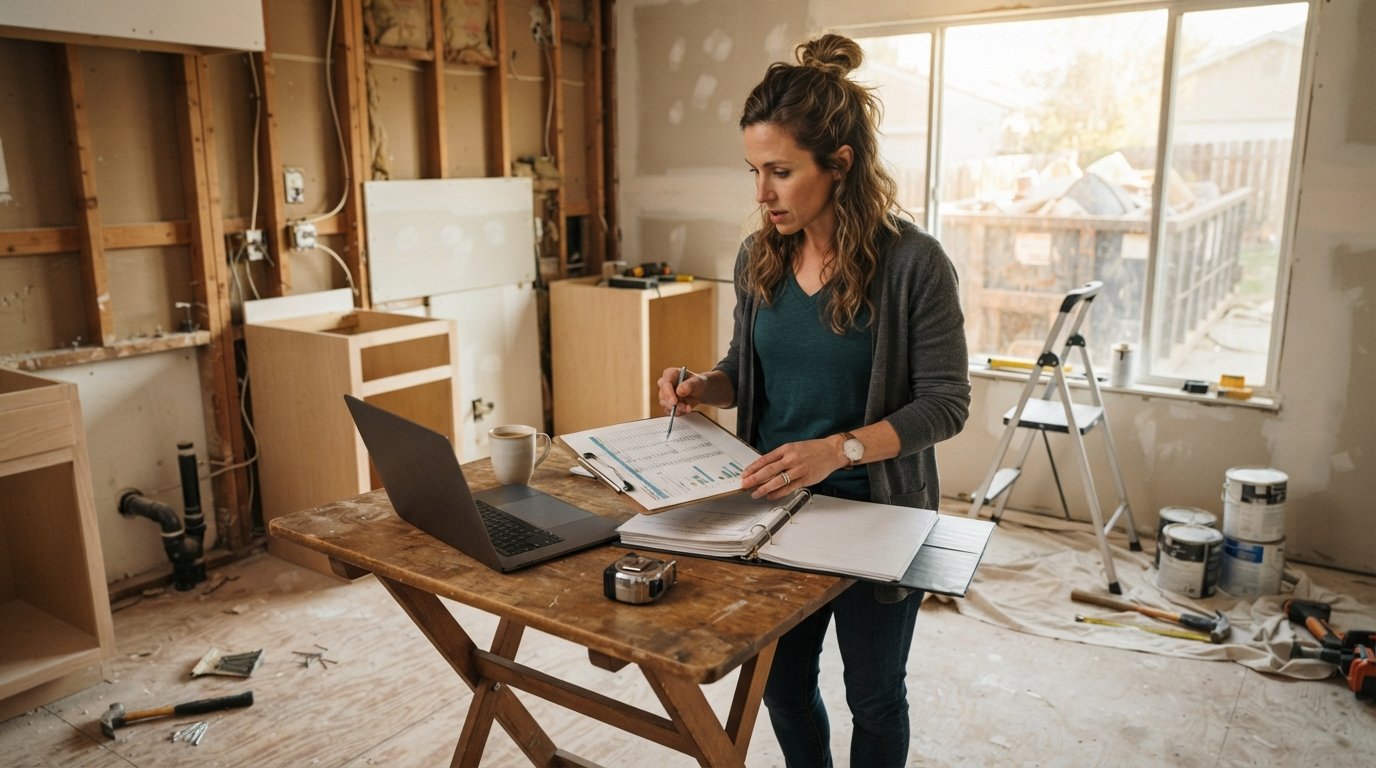
You have signed the contract, the dumpster is in the driveway, and your kitchen is now a pile of cabinets and dust. Somewhere between picking tile and writing checks, you also inherited a second job: project manager. Without a system to track schedules, budgets, and contractor communication, even a well-planned renovation can spiral into missed deadlines, surprise change orders, and receipts lost in a shoebox. The right project management tools for homeowners during renovation do not need to be complicated, but they do need to be consistent. This guide walks you through practical options, from free spreadsheets to shared apps, so you can keep your project organized and your sanity intact.
Why Homeowners Need Project Management Tools During Renovation
A renovation is a temporary small business. You have multiple vendors, a budget that needs constant reconciliation, a schedule with dependencies, and a paper trail that matters for taxes, warranties, and disputes. Without a central system, information scatters across text messages, email threads, and verbal promises. That is how homeowners end up paying twice for the same change order or discovering that the electrician and the drywaller were booked for the same day in the same room.
Project management tools for homeowners during renovation solve three core problems: visibility, accountability, and documentation. Visibility means you can see the budget, schedule, and open tasks in one place. Accountability means every decision and change is written down and assigned. Documentation means permits, receipts, photos, and contracts are stored where you can find them. You do not need enterprise software to achieve this. You need a lightweight system that you will actually update every day, even when you are tired and the house is upside down.
Before choosing a tool, define what you need to track. For most residential renovations, the essentials include a budget with actual versus estimated costs, a schedule with milestones and dependencies, a change order log, a receipt and invoice folder, a photo timeline, and a communication log for each contractor. Once you know your requirements, you can evaluate spreadsheet templates, dedicated apps, or a hybrid approach without getting overwhelmed by features you will never use.
Spreadsheet Templates vs. Apps for Budget and Schedule Tracking
Spreadsheets are the default starting point for many homeowners, and for good reason. They are free, flexible, and familiar. A well-built renovation budget template can track estimated costs, actual costs, variance, and payments due. You can add a schedule tab with start and end dates, a change order tab, and a vendor contact list. Google Sheets and Excel both offer free templates, and you can share the file with your partner or contractor with view-only permissions. For simple projects under $50,000 with a small number of trades, a spreadsheet is often enough.
The limitation of spreadsheets is that they require manual discipline. They do not send reminders, they do not sync with your calendar, and they are easy to break when you insert rows or share with someone who edits carelessly. If you are managing a whole-house renovation or juggling more than five trades, a dedicated app can save time and reduce errors. Apps built for construction or home renovation typically include budget dashboards, task lists, photo uploads, and shared calendars. Some are designed for professional contractors and may be overkill for a single homeowner, while others are consumer-friendly and priced accordingly.
Consider a hybrid approach if you want flexibility without paying for a full platform. Use a spreadsheet for the master budget and a simple shared calendar (Google Calendar or Apple Calendar) for scheduling. Add a cloud folder for documents and a group chat for each trade. This combination covers most of the functionality of an app at little or no cost. The key is to pick one system and stick with it. Switching tools mid-project is the fastest way to lose track of change orders and receipts.
When evaluating apps, look for these features: offline access (job sites often have poor signal), photo annotation (so you can mark up a wall before the electrician arrives), expense tracking with receipt capture, and shared access for your partner or contractor. Avoid apps that require a long-term subscription before you have tested the workflow. Many offer free trials or free tiers that are sufficient for a single renovation. Also check whether the app exports data to a spreadsheet or PDF, because you will want a permanent record when the project ends.
How to Log Change Orders, Receipts, and Photo Documentation
Change orders are the number one source of budget overruns in renovations. A change order is any modification to the original scope, price, or schedule. It might be as small as moving an outlet or as large as adding a window. The rule is simple: no work without a written change order. Use a standard template that includes the date, description of the change, cost impact, schedule impact, and signatures from both you and the contractor. Store all change orders in a single folder, either digital or physical, and log them in your budget spreadsheet so you can see the cumulative effect on your contingency fund.
Receipts and invoices need the same discipline. Create a folder structure in the cloud (for example, Google Drive or Dropbox) with subfolders for contracts, permits, receipts, change orders, and photos. Name each file with the date and vendor, such as 2026-04-12-electrician-invoice.pdf. If you are using a spreadsheet, add a column for the receipt link or file name so you can cross-reference. For paper receipts, snap a photo immediately and upload it, then keep the paper in a binder labeled by category. This two-step habit prevents the classic end-of-project scramble when you need to prove a payment or claim a warranty.
Photo documentation is invaluable for both progress tracking and dispute resolution. Take dated photos before, during, and after each phase. Capture rough-in plumbing and electrical before the drywall goes up, because those photos will save you hours when you want to hang a TV or add a shelf later. Use a cloud photo album or an app that stamps dates and locations. If you are working with a contractor who uses a project management app, ask them to share the photo feed so you both have the same record. Photos also help you communicate with your insurance company and future buyers, and they can be useful if you need to file a warranty claim.
For homeowners who prefer a low-tech approach, a three-ring binder with tabbed sections can work just as well as an app, provided you update it daily. The binder should include a budget summary, a schedule, a change order log, a receipt pocket, and a photo log with printed thumbnails. The advantage of the binder is that it never runs out of battery and is easy to hand to a contractor during a site walk. The disadvantage is that it is not searchable and can be lost or damaged on site. Many homeowners use a binder for on-site meetings and a cloud folder for backup, which is a practical compromise.
Shared Calendars and Messaging for Coordinating Trades
Coordinating multiple trades is like running a small logistics operation. The plumber needs the water shut off before the tile setter arrives. The electrician needs the framing inspection to pass before rough-in. The painter needs the drywall to be sanded and primed. A shared calendar is the simplest way to keep everyone on the same page. Create a project calendar in Google Calendar or Outlook and invite your contractors as guests. Add milestones, inspections, and delivery dates. Use color coding for each trade and set reminders for permit deadlines and material deliveries. When a schedule changes, update the calendar immediately and send a notification. This one habit prevents most of the "I thought you were coming Tuesday" conversations.
Messaging is the other half of coordination. Group texts are convenient but chaotic, and they are hard to search later. A dedicated messaging channel per trade (for example, a WhatsApp group for the kitchen team) keeps conversations organized. For larger projects, consider a simple project management app with a message board or a shared document where you post daily updates. The goal is to have a written record of decisions and requests. If a contractor promises to fix something, ask them to confirm it in the channel. That written confirmation is your protection if the issue resurfaces later.
Set communication norms at the start of the project. Agree on response times (for example, within 24 hours on weekdays), the preferred channel, and how urgent issues should be flagged. Create a contact list with phone numbers, email addresses, and license numbers for every vendor. Share the list with your partner and your general contractor if you have one. When a problem arises, you want to reach the right person quickly, not scroll through a month of texts. A shared contact list and a clear communication plan are low-tech tools that make a high-impact difference.
Document Storage for Permits, Warranties, and Contracts
Renovation paperwork has a long life. Permits may be requested by inspectors or future buyers. Warranties can last five, ten, or twenty years. Contracts and change orders may be needed if a dispute arises. Store these documents in a secure, backed-up location. A cloud folder with two-factor authentication is a good choice. Organize by category and date, and keep a master index (a simple spreadsheet) that lists each document, its location, and its expiration date. For permits, record the permit number, inspection dates, and final sign-off. For warranties, note the coverage period and the contact information for the manufacturer or installer.
If you are working with a lender or an insurance company, they may require copies of contracts and receipts. Having a well-organized digital folder makes it easy to share only what is needed without exposing unrelated personal information. Use PDFs for final contracts and invoices, and keep original signed copies in a safe place. If you receive paper documents, scan them with a phone app and upload them the same day. The goal is to have a single source of truth that you can access from anywhere, whether you are at work, on vacation, or standing in the middle of a demolition zone.
Security matters. Do not store contracts or personal financial information in a public folder or a shared drive with edit access for everyone. Use permissions carefully: view-only for contractors, edit access only for you and your partner. Back up your cloud folder to an external drive once a month. If you are using a project management app, check its data export and deletion policies. You want to be able to take your data with you when the project ends, and you want to know that it will not be lost if you cancel a subscription.
Low-Cost or Free Options and When a Simple Binder Works Better
You do not need to spend money on software to manage a renovation well. The most effective project management tools for homeowners during renovation are often the ones you already have: a spreadsheet, a shared calendar, a cloud folder, and a messaging app. These free tools cover budget tracking, scheduling, document storage, and communication. If you want more structure, look for free tiers of renovation apps or templates from reputable sources. Many contractor supply stores and home improvement websites offer free budget and schedule templates that you can customize.
Paid apps become worthwhile when you need automation, such as receipt scanning, automatic budget updates, or integrated photo markup. They are also helpful if you are managing a complex project with many trades and a tight timeline. Before you pay, test the app on a small phase of your project, such as the demolition or framing stage. If it saves you time and reduces stress, continue. If it adds friction, cancel and go back to the spreadsheet. The best tool is the one you will use consistently, not the one with the most features.
A simple binder works better than any app in certain situations. If you are frequently on site without reliable internet, if you prefer handwriting notes during walkthroughs, or if you are managing a project with a contractor who is not tech-savvy, a binder is practical and reliable. Use it for daily logs, change order sign-offs, and meeting notes, and back it up with photos uploaded to the cloud at the end of each day. The binder also serves as a physical handoff tool when you meet with inspectors or new contractors. Combine the binder with a digital backup, and you have a robust system that works in any conditions.
For homeowners who want a more guided approach, consider using a cost estimation tool to set your baseline budget before you choose a project management method. Accurate estimates make every other tool more effective, because you can compare actual costs to a realistic plan. You can also learn how long renovation projects really take to build a schedule that reflects real-world timelines rather than optimistic guesses. When you are ready to compare contractors, request multiple quotes and use your project management system to log each bid, its scope, and its assumptions. That side-by-side comparison is one of the most powerful ways to avoid scope gaps and surprise costs.
If your renovation coincides with a move, keep your project documents separate from your moving paperwork. For relocation resources and checklists, you can visit Moving.Homes to plan the logistics of your transition while your renovation wraps up. Keeping the two projects organized separately prevents confusion and ensures that nothing falls through the cracks.
Whichever tools you choose, start before demolition day. Set up your budget, schedule, folders, and communication channels in the week before work begins. Spend an hour training your partner or a helper on how to update the system. Then commit to a daily five-minute review: check the calendar, log any receipts, upload photos, and note any changes. That small habit is what separates a smooth renovation from a stressful one. With the right project management tools for homeowners during renovation, you can protect your budget, your timeline, and your peace of mind.