
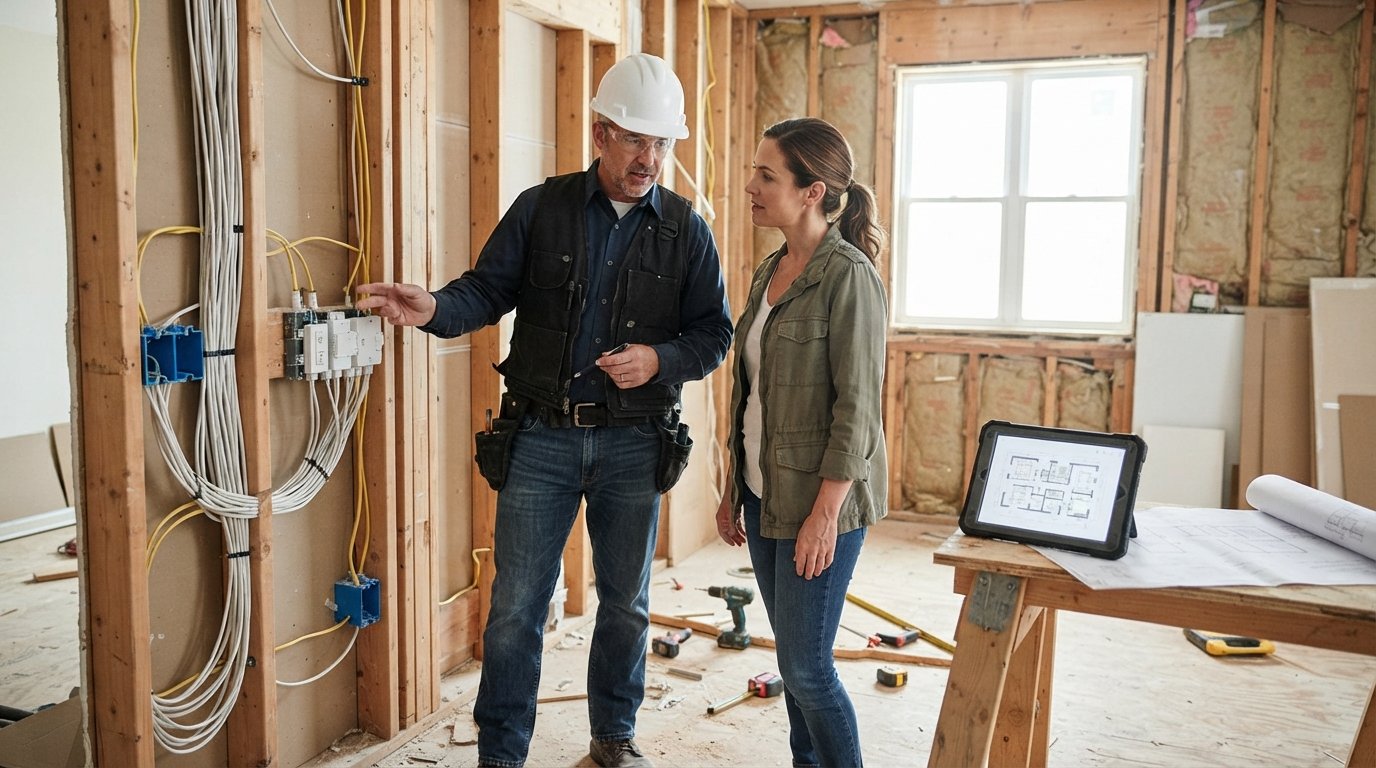
Integrating Smart Home Technology During a Remodel
Integrating smart home technology during a remodel lets you hide wiring and cut retrofit costs. Plan early to avoid expensive changes later.

By Danica Leslie
Learn more about Smart Home Installation or Repair for guides, costs, and what to expect.
Compare Smart Home Installation or Repair Pros Near You

Enter your ZIP code to compare top-rated local professionals and request free quotes.
You are tearing down walls, rethinking the kitchen, and planning a new layout. As you work through the chaos of a remodel, you have a rare chance to make your home smarter without adding future work. Integrating smart home technology during a remodel lets you embed devices behind finished surfaces, run wiring while the studs are exposed, and avoid the clutter of retrofit gadgets. The decisions you make now will shape how your home feels, functions, and performs for years.
This guide walks you through the practical steps, tradeoffs, and planning details that make a remodel the ideal time to upgrade. You will learn where to start, what to ask your contractor, how to budget, and how to avoid the most common mistakes homeowners make when adding smart systems to a renovation.
Why a Remodel Is the Best Time to Go Smart
Retrofitting smart devices into a finished home is possible, but it is rarely elegant. You deal with surface-mounted wiring, limited outlet placement, and devices that never quite blend in. During a remodel, the walls are open, the ceilings are accessible, and the electrical plan is still being drawn. That changes everything.
When you integrate smart home technology during a remodel, you can hide the infrastructure that makes smart devices work reliably. Ethernet cables, low-voltage wiring, and power outlets can be placed exactly where they are needed. You can also choose deeper electrical boxes to accommodate smart switches, which are often larger than standard ones. These small decisions prevent big headaches later.
There is also a cost advantage. Running a few extra cables while the walls are open is relatively inexpensive. Doing the same work after the drywall is up can cost several times more, and it often leaves visible patches or surface conduit. Planning ahead also means you can coordinate with your electrician, HVAC contractor, and low-voltage installer in one pass, rather than scheduling separate visits over months or years.
Finally, a remodel forces you to think about how you actually use your home. That is the perfect moment to design a smart system around your routines, not just to add gadgets. For example, if you are remodeling a kitchen, you can plan for smart lighting scenes that shift from bright task lighting to warm dinner lighting. If you are finishing a basement, you can pre-wire for a home theater or a dedicated home office network. For more on how these upgrades affect long-term value, see our guide on increasing home value through remodeling.
Start with a Plan, Not with Gadgets
The biggest mistake homeowners make is buying smart devices before the remodel plan is set. That leads to incompatible hubs, missing wiring, and devices that do not talk to each other. Start by defining what you want your smart home to do, then work backward to the infrastructure.
Ask yourself a few practical questions. Do you want voice control in every room, or only in main living areas? Do you want smart lighting that adjusts automatically based on time of day? Are you interested in energy monitoring, security cameras, or smart locks? Do you need a strong Wi-Fi mesh system to cover the whole house? Write down your priorities and share them with your contractor early.
Next, decide on a central platform or ecosystem. The three most common choices are Amazon Alexa, Google Home, and Apple HomeKit. Each has strengths and weaknesses. Alexa and Google tend to support the widest range of budget devices. Apple HomeKit is known for strong privacy and smooth integration with Apple devices, but it supports fewer products. There is also Matter, a newer standard that aims to let devices work across ecosystems. If you want flexibility, look for devices that support Matter.
Your contractor does not need to be a smart home expert, but they do need to know your plans. Provide a simple diagram or list of desired devices and locations. This helps them coordinate electrical, network, and low-voltage work. If your contractor is not comfortable with smart home wiring, consider hiring a low-voltage specialist or a home technology integrator to consult during the planning phase.
Infrastructure That Makes Smart Devices Work
Smart devices depend on three things: power, network, and wiring. During a remodel, you can address all three properly. Here are the core infrastructure elements to plan for.
- Dedicated power outlets: Smart displays, hubs, and cameras need constant power. Plan outlets in hallways, ceilings, and closets where you might place these devices.
- Ethernet runs: Wi-Fi is convenient, but wired connections are faster and more reliable. Run Cat6 or Cat6a cable to televisions, desktop computers, access points, and security cameras.
- Deep electrical boxes: Smart switches and dimmers are deeper than standard switches. Install deeper boxes to fit them without cramming wires.
- Neutral wires: Most smart switches require a neutral wire. Confirm with your electrician that neutrals are present in every switch box.
- Low-voltage conduit: Install conduit from a central utility area to key rooms. This makes future upgrades easier without opening walls again.
Network reliability is the foundation of a smart home. A single router in the living room will not cover a three-story house with thick walls. Plan for a mesh Wi-Fi system or multiple wired access points. If you are remodeling, run Ethernet to ceiling locations for access points. This gives you strong, seamless coverage everywhere.
Also think about where your smart home hub will live. A central closet or utility room is ideal. It should have power, network connectivity, and ventilation. This is also a good place for a network switch, a smart home controller, and any media equipment. Label every cable and document your setup. Future you, or a future homeowner, will appreciate it.
Room-by-Room Smart Home Ideas for Your Remodel
Different rooms benefit from different smart features. The key is to match technology to how you use each space. Here are practical ideas for common remodel areas.
Kitchen
Smart lighting is the standout upgrade in a kitchen remodel. You can create scenes for cooking, cleaning, and entertaining. Under-cabinet lighting with smart dimming adds both function and ambiance. Smart appliances, such as refrigerators and ovens, can alert you when doors are left open or when a roast is done. A smart display on the counter can manage timers, shopping lists, and video calls. If you are replacing outlets, consider adding USB-C charging ports and smart outlets for small appliances.
Living Room
This is where entertainment and comfort converge. Pre-wire for a wall-mounted TV with power and Ethernet behind the mount. Smart blinds can adjust automatically based on sunlight. Smart thermostats and ceiling fans can be controlled by voice or app. If you have a fireplace, a smart switch can turn it on safely from your phone. For lighting, smart dimmers let you set the mood without getting up.
Bedroom
Smart bedrooms focus on sleep, convenience, and security. Smart blinds that open gradually with your alarm can help you wake more naturally. A smart thermostat can lower the temperature at night for better sleep. Smart locks and security sensors on windows add peace of mind. Voice control from bed is a small luxury that many homeowners love.
Bathroom
Smart bathrooms are growing in popularity. Heated floors, smart mirrors with built-in lighting and defogging, and smart showers that remember your preferred temperature are all options. A smart exhaust fan can run automatically based on humidity. If you are remodeling a bathroom, this is the time to run the wiring for these features.
Home Office
Reliable internet is non-negotiable. Run Ethernet to your desk and consider a wired access point in the room. Smart lighting can reduce eye strain with adjustable color temperature. A smart plug can power cycle your router or modem remotely. If you take a lot of calls, a smart speaker or display can manage your schedule and mute background noise.
As you plan each room, think about how the devices will be controlled. Will you use voice, app, wall switches, or a combination? The best smart homes offer multiple control methods so you are never stuck.
Working with Contractors and Integrators
Your remodel will involve several trades: electricians, plumbers, HVAC technicians, carpenters, and painters. Smart home technology touches all of them. Clear communication is essential. Before work begins, hold a meeting with your general contractor and key subs to review your smart home plan.
Ask your electrician about low-voltage wiring. Some electricians handle it; others do not. If they do not, you will need a low-voltage contractor or a home technology integrator. This person can run Ethernet, speaker wire, and security camera cables. They can also install and configure smart switches, thermostats, and hubs. If you are unsure how to find qualified professionals, you can use a service like FreeQuotes.Contractors to request free quotes from local contractors.
Make sure your contract includes specifics about smart home work. Who is responsible for running cables? Who installs the devices? Who configures the network? Who tests everything? Ambiguity leads to finger-pointing later. Document your expectations in writing.
Timing matters too. Rough-in wiring must happen before drywall. Device installation happens after painting. Network setup and testing should happen before you move back in. Create a schedule that aligns with your remodel timeline. If you are hiring separate contractors for smart home work, make sure their schedules fit within the larger project.
Budgeting for Smart Home Upgrades
Smart home technology can range from a few hundred dollars to tens of thousands, depending on scope. A basic setup with a smart thermostat, a few smart switches, and a video doorbell might cost $500 to $1,500 in materials, plus installation. A whole-home system with wired access points, smart lighting throughout, motorized blinds, and a security system can exceed $10,000.
The good news is that integrating smart home technology during a remodel often costs less than retrofitting later. You save on labor because walls are already open. You also avoid the cost of repairing drywall and paint. To keep your budget in check, prioritize infrastructure over gadgets. Wiring, outlets, and network cabling are hard to change later. Devices can be added or upgraded anytime.
Create a tiered budget: must-have, nice-to-have, and future. Must-haves might include smart thermostat, smart lighting in main areas, and a reliable network. Nice-to-haves could be smart blinds or a whole-home audio system. Future items might be additional cameras or a smart irrigation controller. This approach lets you phase the work without compromising the core system.
Do not forget to ask your contractor about potential cost savings. For example, some utilities offer rebates for smart thermostats. Energy-efficient smart lighting can reduce electricity bills. A well-insulated smart home may qualify for tax incentives. These small savings add up.
Common Mistakes to Avoid
Even well-intentioned homeowners make mistakes when adding smart technology to a remodel. Here are the most common pitfalls and how to avoid them.
- Choosing devices from too many ecosystems: Mixing Alexa, Google, and Apple devices without a plan leads to confusion. Stick to one primary ecosystem or use Matter-compatible devices.
- Ignoring network capacity: A basic router may not handle dozens of smart devices. Invest in a mesh system or multiple access points.
- Forgetting about neutral wires: Many smart switches need a neutral wire. If your home is older, confirm with your electrician before buying switches.
- Skipping surge protection: Smart devices are sensitive to power surges. Use whole-home surge protectors and individual surge strips for expensive electronics.
- Not labeling cables: A messy wiring closet becomes a nightmare to troubleshoot. Label both ends of every cable.
Another mistake is overlooking privacy and security. Smart devices collect data. Choose brands with strong privacy policies. Change default passwords. Set up a separate Wi-Fi network for smart devices if your router supports it. Keep firmware updated. These steps protect your home and your personal information.
Finally, do not over-automate. Smart homes should make life easier, not more complicated. If a smart feature adds stress or requires constant troubleshooting, it is not worth it. Start simple, test as you go, and expand only when you are comfortable.
Future-Proofing Your Smart Home
Technology changes quickly. The smart home devices you buy today may be obsolete in five years. You cannot predict everything, but you can build flexibility into your remodel. Run extra conduit and cables. Leave pull strings in walls for future wiring. Choose a central hub location that can accommodate new equipment. Use standard protocols like Wi-Fi, Zigbee, Z-Wave, and Matter so you are not locked into a single brand.
Consider scalability. If you think you might add a home theater, a workshop, or an electric vehicle charger later, pre-wire for those now. The cost is minimal during a remodel and enormous afterward. Also, keep documentation. Create a digital folder with manuals, receipts, network diagrams, and passwords. This helps you and any future technician.
Think about resale value. A well-integrated smart home can be a selling point, but only if it is user-friendly and well-documented. Buyers may be turned off by a complex, poorly labeled system. Keep it simple, reliable, and easy to understand.
Integrating smart home technology during a remodel is an investment in convenience, efficiency, and long-term value. With careful planning and the right team, you can create a home that adapts to your life today and tomorrow. Whether you are updating a single room or renovating the entire house, the steps above will help you get it right.