
Smart Home System Installation Cost by Room: 2026 Guide
Get room-by-room smart home installation costs, from smart switches to security, and plan your budget. Call (833)-365-8755 for expert advice.
By James Morgan
Learn more about Smart Home Installation or Repair for guides, costs, and what to expect.
Compare Smart Home Installation or Repair Pros Near You

Enter your ZIP code to compare top-rated local professionals and request free quotes.
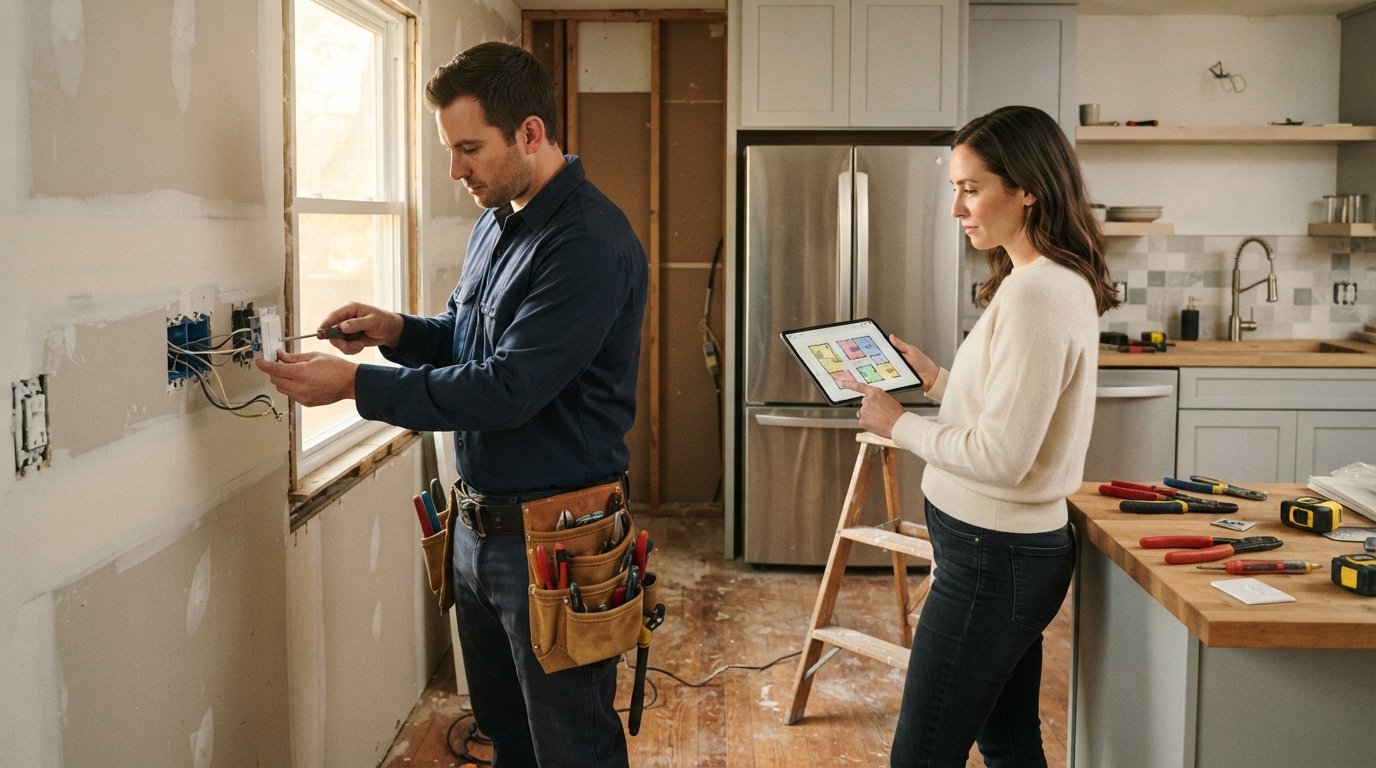
You are standing in a half-renovated kitchen, looking at a tangle of exposed wires and wondering where the smart switches will go. The electrician asks if you want dimmers or just on/off, and you realize you have no idea what any of this should cost. Smart home upgrades can add convenience, security, and energy savings, but without a room-by-room budget, you risk overspending or cutting corners on wiring that is impossible to add later. This guide breaks down the smart home system installation cost by room, so you can plan with confidence and avoid surprise bills.
Why Room-by-Room Budgeting Matters
Smart home technology is not a single product; it is an ecosystem of devices that communicate through hubs, apps, and protocols. The cost to install these systems varies dramatically depending on the room's function, the number of devices, and whether you are retrofitting or building new. A living room with a TV, motorized shades, and surround sound has different needs than a bathroom with a simple motion-sensor light. By budgeting by room, you can prioritize high-impact areas, phase your project over time, and ensure that low-voltage wiring is in place before the drywall goes up.
Moreover, many homeowners underestimate the labor involved. Installing a smart switch requires a neutral wire, which older homes often lack. Running that wire can cost more than the switch itself. Security cameras may need Ethernet drops or dedicated power. Smart thermostats must integrate with existing HVAC controls, and zoning systems can add significant expense. A room-by-room approach helps you see the full picture and make informed trade-offs.
When planning your budget, consider obtaining multiple quotes from licensed professionals. Platforms like smart home service quotes in Phoenix illustrate how regional pricing and scope affect the final number, and similar comparisons are available for your area. Always verify that your contractor has experience with low-voltage wiring and smart home protocols.
Key Cost Factors Across All Rooms
Before diving into specific rooms, it helps to understand the common cost drivers that apply everywhere. These include the type of wiring required, the complexity of the device, and whether you are integrating with an existing ecosystem.
- Wiring and electrical work: Smart switches often require a neutral wire; if absent, expect to pay $100 to $300 per switch for rewiring. Low-voltage cabling for cameras, sensors, or speakers runs $2 to $5 per linear foot, plus labor.
- Hub and ecosystem: A central hub (like SmartThings, Hubitat, or Home Assistant) costs $100 to $300, but professional setup and programming can add $200 to $500. Some devices use Wi-Fi and skip a hub, but they may clutter your network.
- Labor rates: Electricians charge $50 to $120 per hour, while smart home integrators may charge $75 to $150 per hour. Complex programming and troubleshooting can push costs higher.
- Permits and inspections: Some jurisdictions require permits for new electrical work; budget $100 to $500 depending on scope.
These factors mean that two identical rooms can have very different installation costs. For example, a living room with existing neutral wires and Wi-Fi devices might cost $500 to automate, while a similar room needing rewiring and a hub could exceed $2,000. Keep these variables in mind as you review the room-specific estimates below.
Living Room and Family Room
The living room is often the hub of smart home activity, with entertainment systems, lighting scenes, and security features. Typical installations include smart switches and dimmers, smart outlets, motorized shades, and a smart TV or streaming device. If you are adding a home theater, consider smart speakers and AV receivers that integrate with voice assistants.
Costs for smart switches and dimmers range from $50 to $150 per device installed, assuming compatible wiring. Smart outlets run $40 to $100 each. Motorized shades are a bigger investment: $300 to $800 per window, including installation, depending on size and fabric. A smart TV or streaming stick is DIY-friendly, but professional mounting and cable concealment adds $150 to $400. For a comprehensive living room setup with four smart switches, two outlets, and two motorized shades, expect $1,200 to $2,500.
If you want centralized control, a hub or smart speaker (like Amazon Echo or Google Nest Hub) adds $100 to $300. Professional programming of scenes and routines can cost $200 to $500. Remember that low-voltage wiring for speakers or shades should be run during renovation to avoid patching walls later.
Kitchen
Kitchen smart upgrades focus on convenience, safety, and energy efficiency. Popular devices include smart lighting under cabinets, smart plugs for small appliances, a smart refrigerator or oven (though these are often DIY), and leak sensors under the sink. Voice control is particularly useful when your hands are messy.
Under-cabinet smart lighting typically costs $200 to $600 installed, depending on length and whether new wiring is needed. Smart plugs are inexpensive at $20 to $50 each, but if you want them controlled by a wall switch, an electrician may need to add a neutral wire. Leak sensors are $30 to $80 each and require no wiring, just placement. A smart display for recipes and timers costs $100 to $250.
For a typical kitchen with under-cabinet lights, two smart plugs, and a leak sensor, budget $500 to $1,200. If you are remodeling and want to add smart controls to your range hood or integrate with a whole-home system, consult an electrician early. Running dedicated circuits for high-power appliances is a separate cost but essential for safety.
Bedroom
Bedrooms benefit from smart lighting, motorized shades, and smart thermostats for personalized comfort. A common setup includes a smart dimmer for overhead lights, a smart lamp module, and a smart thermostat or sensor. Security cameras are less common in bedrooms due to privacy, but door and window sensors are popular.
Smart dimmers cost $50 to $150 installed, while lamp modules are $30 to $60. Motorized shades for two windows can run $600 to $1,600 installed. A smart thermostat, if not already installed elsewhere, costs $150 to $300 plus $100 to $200 for installation. Door and window sensors are $20 to $50 each, often DIY-friendly.
A basic bedroom package with two smart dimmers, a lamp module, and two window sensors costs $300 to $700. Adding motorized shades pushes the total to $900 to $2,300. If your bedroom lacks neutral wires, expect additional rewiring costs.
Bathroom
Bathroom smart features are simpler but can enhance comfort and safety. Smart exhaust fans with humidity sensors, motion-sensor lights, and smart water leak detectors are common. Heated floors and smart mirrors are luxury upgrades with higher price tags.
A smart exhaust fan costs $150 to $400 installed, including venting. Motion-sensor switches are $40 to $120. A leak detector near the toilet or under the sink is $30 to $80. Smart mirrors with built-in lighting and defoggers start at $300 and can exceed $1,000, with installation adding $100 to $300.
For a typical bathroom with a smart fan, motion switch, and leak sensor, budget $250 to $600. If you are remodeling, consider adding a dedicated circuit for a future heated floor or smart mirror. These upgrades are best planned before tiling.
Home Office
Home offices demand reliable connectivity and focused lighting. Smart upgrades include smart plugs for equipment, smart lighting for video calls, and network upgrades like mesh Wi-Fi. Security cameras may also be desired for package detection.
Smart plugs cost $20 to $50 each, smart bulbs $20 to $60, and smart switches $50 to $150 installed. A mesh Wi-Fi system costs $150 to $400 and is usually DIY, but professional setup can add $100 to $200. A security camera with installation runs $100 to $300 per camera.
A home office package with two smart plugs, a smart dimmer, and a mesh Wi-Fi system costs $300 to $700. Adding a camera brings it to $400 to $1,000. Ensure your home network can handle multiple devices; a professional assessment may be worthwhile.
Hallways and Entryways
Entryways are the first line of security and convenience. Smart locks, video doorbells, and smart lighting are top priorities. Hallways benefit from motion-sensor lighting and smart switches for energy savings.
A smart lock costs $150 to $400 installed, depending on features like keypad, fingerprint, or camera. Video doorbells range from $100 to $300 plus $50 to $150 for installation (wiring may be needed). Smart switches for hallways are $50 to $150 each.
A typical entryway with a smart lock, video doorbell, and two smart switches costs $400 to $1,000. Hallway motion sensors add $40 to $120 each. If your doorbell lacks existing wiring, expect additional cost to run a transformer or use a battery-powered model.
Whole-Home vs. Room-Specific Approach
You can approach smart home installation in two ways: whole-home integration or room-by-room upgrades. A whole-home system typically involves a central hub, structured wiring, and a unified app, offering seamless control but higher upfront cost. Room-specific upgrades are more affordable and can be phased, but may lead to compatibility issues if devices use different protocols.
Whole-home systems often require a professional integrator to design and program, with costs starting at $2,000 to $5,000 for basic automation and climbing to $10,000 or more for advanced setups. Room-specific DIY installations can cost a few hundred dollars per room but may lack cohesion. For homeowners on a budget, a hybrid approach works well: start with a hub that supports multiple protocols (like Zigbee, Z-Wave, and Wi-Fi) and add rooms incrementally.
Ecosystem compatibility is critical. Choose devices that work with your preferred voice assistant (Alexa, Google Assistant, Apple HomeKit) and hub. Matter, the new interoperability standard, is making cross-platform compatibility easier, but not all devices support it yet. Research before buying to avoid orphaned devices.
Wiring During a Remodel: Plan Ahead
If you are remodeling, you have a golden opportunity to run low-voltage wiring for future smart home needs at a fraction of the cost of retrofitting. Once walls are closed, adding wiring can cost three to five times more due to labor and patching.
Consider running Cat6 Ethernet to key locations (TV areas, home office, ceiling for access points), speaker wire to living room and patio, and conduit for future fiber or camera cables. Also, ensure that switch boxes have neutral wires, as most smart switches require them. The extra cost during rough-in is minimal: $50 to $200 per drop, compared to $300 to $800 for retrofitting.
Work with your electrician and contractor to map out device locations early. For guidance on finding qualified professionals for remodeling projects, resources like PlanRemodel's contractor directory can help you connect with vetted experts who understand smart home wiring. Planning ahead ensures your smart home system is future-ready without breaking the bank.
Getting Accurate Quotes and Avoiding Surprises
Smart home installation costs vary widely by region, home age, and project scope. To get accurate quotes, prepare a detailed list of devices and desired functionality, and ask contractors to break down labor, materials, and programming separately. Obtain at least three quotes and check references for similar installations.
Be wary of low bids that omit wiring upgrades or permit costs. Ask specifically about neutral wire requirements, hub compatibility, and whether the quote includes programming and training. A reputable contractor will provide a written scope and warranty. Remember that smart home technology evolves quickly; investing in quality wiring and a flexible hub can extend the life of your system.
By budgeting room by room and planning for wiring during renovations, you can enjoy the benefits of a smart home without financial stress. Use the estimates in this guide as a starting point, and adjust based on your home's specific conditions and your local market.
Learn more about Smart Home Installation or Repair for guides, costs, and what to expect.
Compare Smart Home Installation or Repair Pros Near You
Enter your ZIP code to compare top-rated local professionals and request free quotes.